@yorik said: This is a big task :)
You don't say.
Where to begin. After spending the past few days reading, digesting, organizing my thoughts, then unorganizing and reorganizing my thoughts again, I’m ready to contribute some structure to the discussion. My main goal is to keep this project focused and avoid drifting into curtain wall territory, that would be a valuable project in its own right.
To keep things contained, I’ve compiled a set of common door arrangements, including doors, sidelights, and transoms. I’ve structured them into a 3 × 2 grid, which I believe covers the majority of use cases for both doors and windows. Does this approach make sense to others?
Common door arrangements
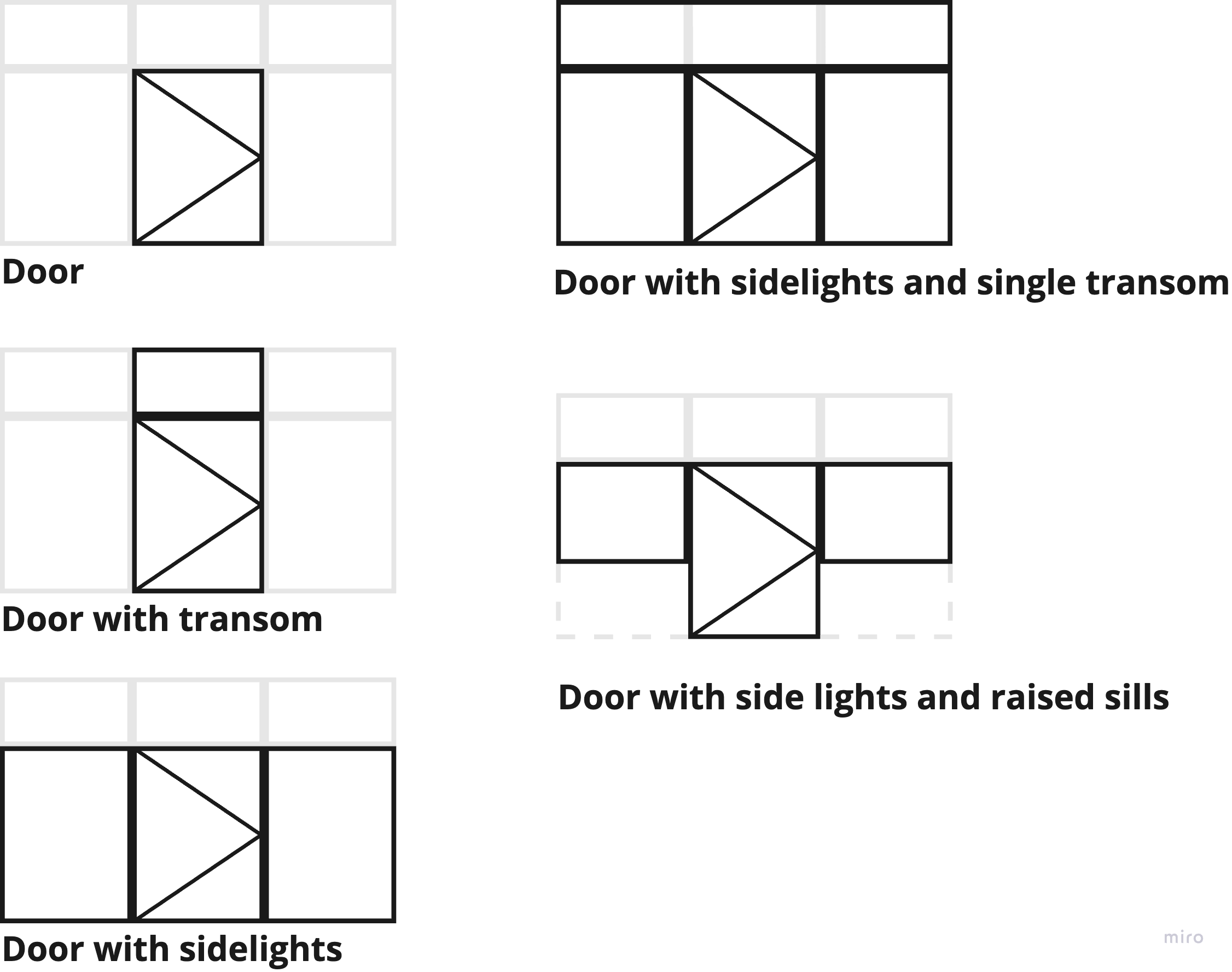
I think a 3 x 2 grid would cover the majority of use cases for doors and windows, but what do others think?
The key challenge is defining a set of parameters that covers the:
-
Layout of the general arrangement
-
Selection of components
-
positioning of its components.
As I started breaking down the key components of a parametric door, it became clear that door frames need more attention. Right now, hollow metal frames, a standard in commercial construction, are missing from the current system. At first, I thought we needed separate definitions for wood vs. metal frames, but after digging deeper, I realized that the fundamental parameters are the same across all frame types, the main difference lies in material and fixing method.
Instead of defining individual frame members, my proposal is to introduce a Door Frame Set at the assembly level, consolidating all necessary parameters in one place. This approach makes the system more structured and easier to use, while still allowing for key adjustments where needed.
Below is my proposal for Door Frame Set parameters. A similar approach would apply to window frames, with their own dedicated parameter set.
Door Frame Set
Designed for Single Rebate, Double Rebate, Double Egress, and Cased Opening frames.
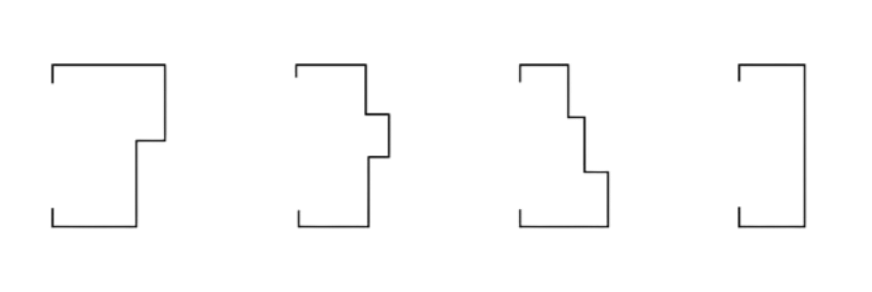
Suitable for Wood and Metal frame profiles

Designed to accommodate face-fixed, wrap-around, and flanged frame-fixing methods (fixing details such as flanges, anchors, and straps are not included).

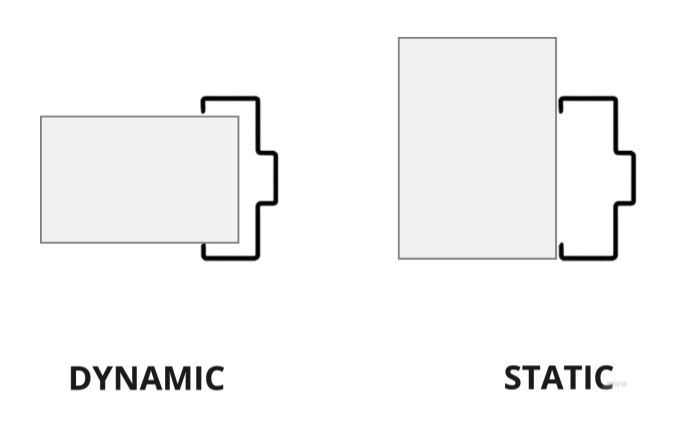
Supports dynamic depth adjustment based on wall thickness. Alternatively, a fixed depth can be set manually.
Properties
Name: User-defined
Description: User-defined
Material:
Dimensions
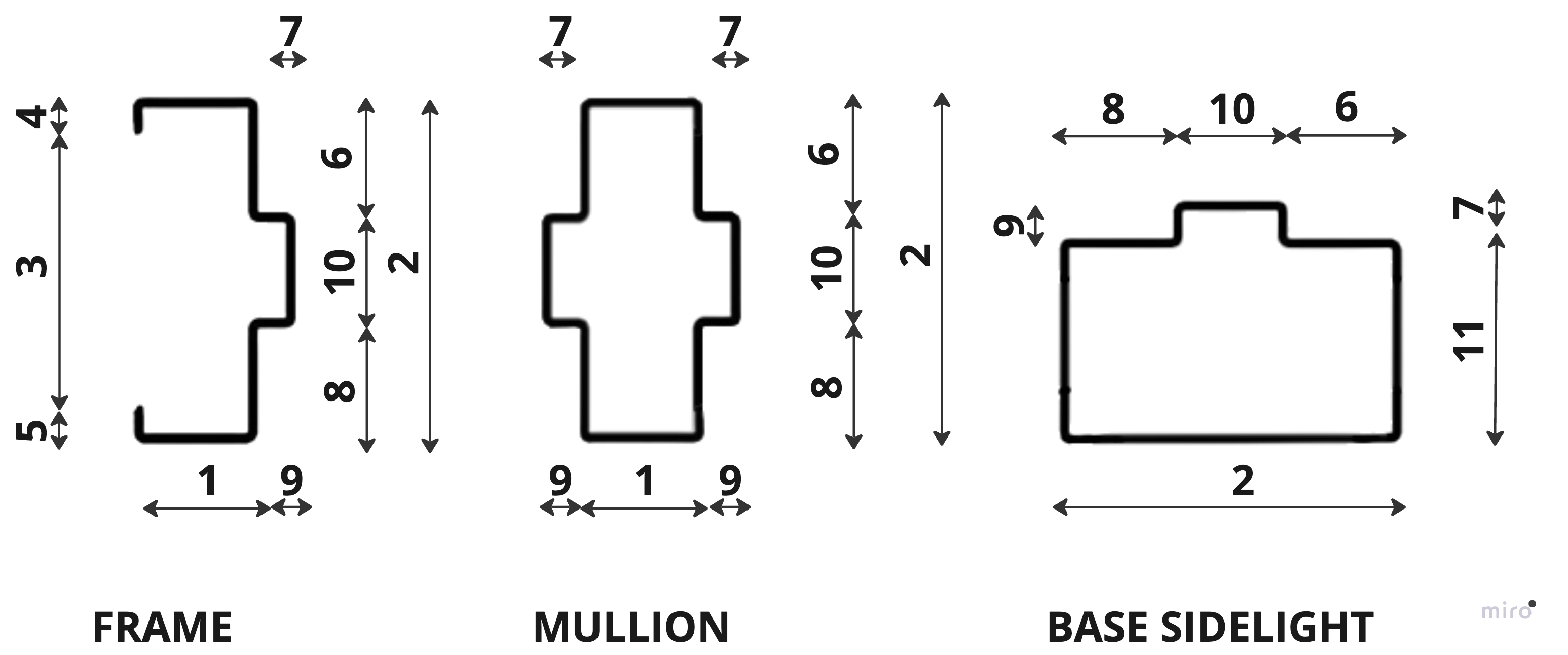
-
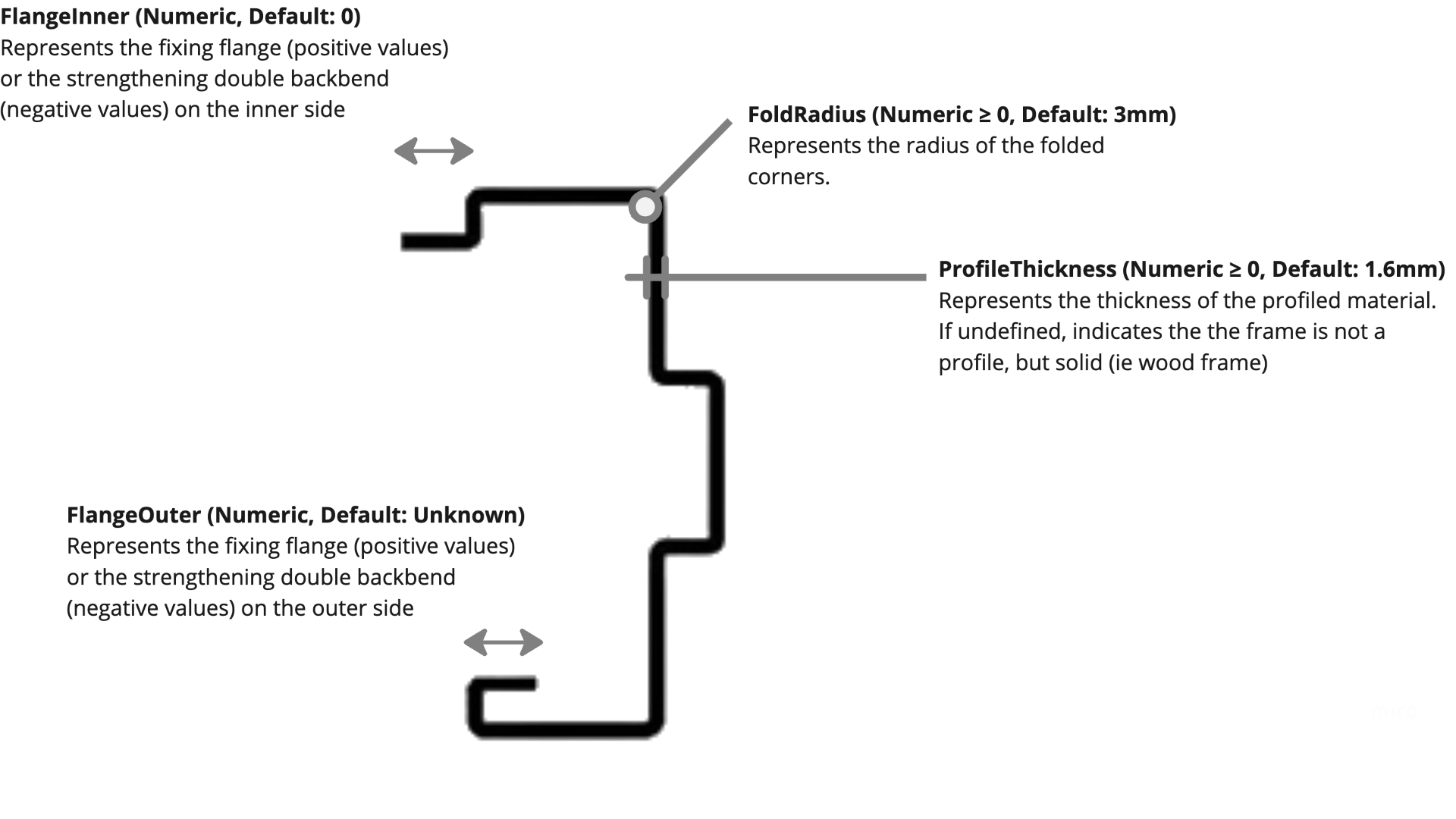
Thickness (Numeric > 0, Default: Undefined) Defines the thickness of the door frame.
-
Depth (Calculated: ProjectionInner + Throat + ProjectionOuter) Total depth of the door frame, measured perpendicular to the door face. This is a calculated value and cannot be overridden.
-
Throat (Numeric > 0, Default: Undefined) Represents the depth of the throat opening. If Undefined, it dynamically adjusts to match the wall thickness.
-
ProjectionInner (Numeric ≥ 0, Default: 13mm) Extends the frame outward from the inner side wall face.
-
ProjectionOuter (Numeric ≥ 0, Default: 13mm) Extends the frame outward from the outer side wall face.
-
RebateFaceInner (Numeric ≥ 0, Default: 0mm) Defines the width of the rebate face on the inner side. Typically set slightly larger than the door panel width to accommodate mounting and gaskets. If 0mm, no rebate is created on the inner side.
-
RebateDepthInner (Numeric ≥ 0, Default: 15mm) Defines the stop depth on the inner side of the frame. Only applies if RebateFaceInner > 0.
-
RebateFaceOuter (Numeric ≥ 0, Default: Undefined) Defines the width of the rebate face on the outer side. Typically set slightly larger than the door panel width to accommodate mounting and gaskets. If Undefined, it defaults to RebateFaceInner. If 0mm, no rebate is created on the outer side.
-
RebateDepthOuter (Numeric ≥ 0, Default: Undefined) Defines the stop depth on the outer side of the frame. Only applies if RebateFaceOuter > 0. If Undefined, it defaults to RebateDepthInner.
-
Soffit (Calculated: Depth - RebateFaceInner - RebateFaceOuter) Represents the remaining frame width after subtracting the rebate face dimensions from the total frame depth.
-
BaseSidelightThickness (Numeric ≥ 0, Default: Undefined) Defines the thickness of the frame at the base of the sidelight. If Undefined, it defaults to Thickness
In the current IFC door lining properties, the frame depth can adjust dynamically to match the wall depth in which it’s placed. This proposal relies heavily on that behavior. I’m unsure how difficult this would be to implement, as Bonsai doesn’t yet support it, but if we could achieve it, it would be a game changer. Would love to hear thoughts on this approach!